前情提要
喵喵其实在上班之后就一直遇到网站接口需要我使用postman手动请求的情况
但是后端接口又有鉴权,每次去F12里拿是真费劲啊
所以这个油候脚本出现了,这次分享已经更新了几版了,从纯手写,到AI辅助,样式美化,不得不说AI的强大
我们需要什么
一个可以安装油候插件的浏览器
Chrome Edge Safari FireFox都可以,360浏览器也不是不行,你别用IE就差不多
油候插件的安装
我们以Chrome为例,打开油候的Chrome插件商店,还在犹豫什么,点那个安装!!!
如此我们就获得了修改任意网页的权限,越权我很喜欢
脚本的安装
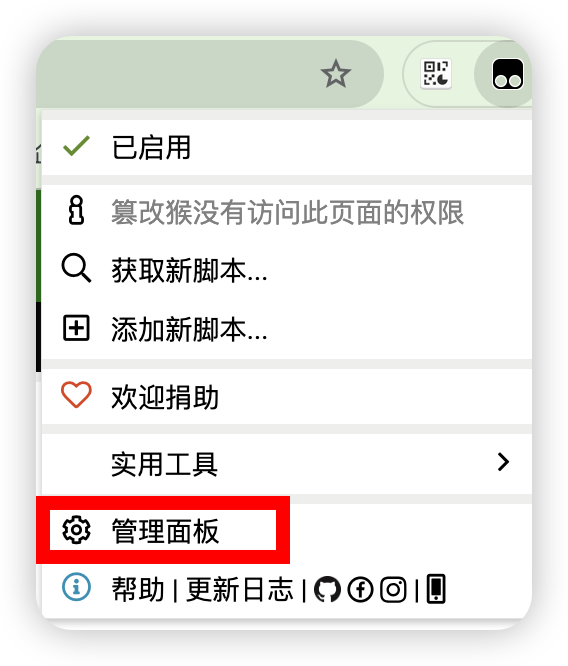
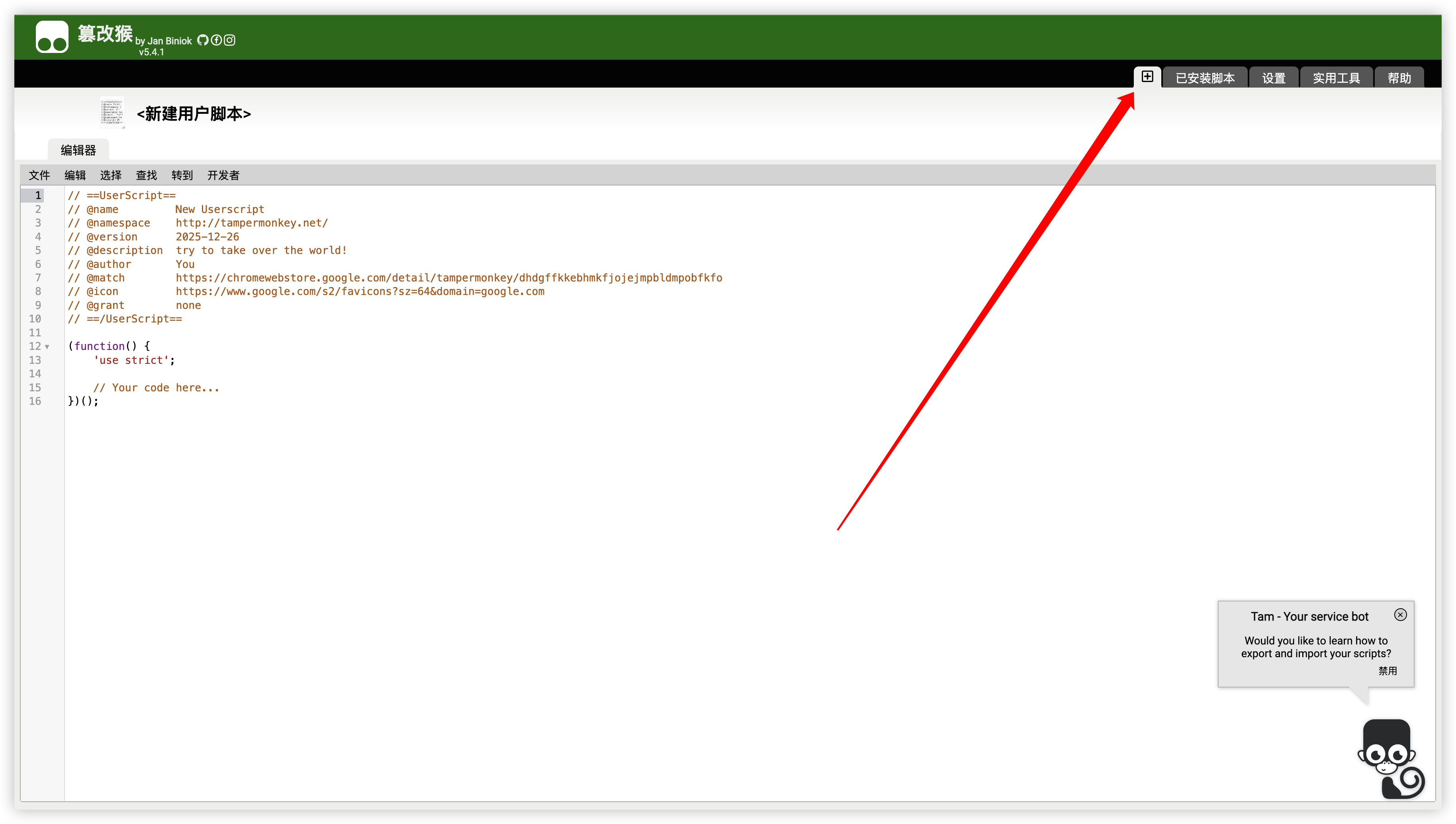
找到我们安装的插件,点击系统设置,找到➕号,点击它

把下面的代码粘进去
(function() {
'use strict';
let tokenFormat = localStorage.getItem('tokenFormat') || 'postman';
const button = document.createElement('button');
function updateButtonText() {
const formatText = tokenFormat === 'postman' ? 'Postman' : 'JetBrains';
button.innerText = `复制Token (${formatText})`;
}
updateButtonText();
const savedPosition = JSON.parse(localStorage.getItem('tokenButtonPosition') || '{"top": 20, "right": 20}');
button.style.cssText = `
position: fixed;
top: ${savedPosition.top}px;
right: ${savedPosition.right}px;
z-index: 9999;
padding: 10px 20px;
background-color: #4CAF50;
color: white;
border: none;
border-radius: 5px;
cursor: move;
font-size: 14px;
box-shadow: 0 2px 5px rgba(0,0,0,0.2);
transition: background-color 0.3s;
user-select: none;
`;
let isDragging = false;
let startX, startY;
let initialRight, initialTop;
let hasMoved = false;
button.addEventListener('mousedown', (e) => {
isDragging = true;
hasMoved = false;
startX = e.clientX;
startY = e.clientY;
initialRight = parseInt(button.style.right);
initialTop = parseInt(button.style.top);
button.style.cursor = 'grabbing';
e.preventDefault();
});
document.addEventListener('mousemove', (e) => {
if (!isDragging) return;
const deltaX = startX - e.clientX;
const deltaY = e.clientY - startY;
if (Math.abs(deltaX) > 5 || Math.abs(deltaY) > 5) {
hasMoved = true;
}
const newRight = initialRight + deltaX;
const newTop = initialTop + deltaY;
const maxRight = window.innerWidth - button.offsetWidth;
const maxTop = window.innerHeight - button.offsetHeight;
button.style.right = Math.max(0, Math.min(newRight, maxRight)) + 'px';
button.style.top = Math.max(0, Math.min(newTop, maxTop)) + 'px';
});
document.addEventListener('mouseup', () => {
if (isDragging) {
isDragging = false;
button.style.cursor = 'move';
const position = {
top: parseInt(button.style.top),
right: parseInt(button.style.right)
};
localStorage.setItem('tokenButtonPosition', JSON.stringify(position));
}
});
button.addEventListener('mouseenter', () => {
if (!isDragging) {
button.style.backgroundColor = '#45a049';
}
});
button.addEventListener('mouseleave', () => {
button.style.backgroundColor = '#4CAF50';
});
button.addEventListener('contextmenu', (e) => {
e.preventDefault();
tokenFormat = tokenFormat === 'postman' ? 'jetbrains' : 'postman';
localStorage.setItem('tokenFormat', tokenFormat);
updateButtonText();
showNotification(`已切换到 ${tokenFormat === 'postman' ? 'Postman' : 'JetBrains'} 格式`, 'success');
});
button.addEventListener('click', (e) => {
if (hasMoved) {
e.preventDefault();
return;
}
const token = getCookie('token');
if (!token) {
showNotification('未找到token,请确保已登录', 'error');
return;
}
let result;
if (tokenFormat === 'postman') {
result = [{
"key": "Authorization",
"value": `Bearer ${token}`,
"enabled": true
}];
copyToClipboard(JSON.stringify(result, null, 0));
} else {
result = `Authorization: Bearer ${token}`;
copyToClipboard(result);
}
showNotification('Token已复制到剪贴板!', 'success');
});
function getCookie(name) {
const value = `; ${document.cookie}`;
const parts = value.split(`; ${name}=`);
if (parts.length === 2) {
return parts.pop().split(';').shift();
}
return null;
}
function copyToClipboard(text) {
const textarea = document.createElement('textarea');
textarea.value = text;
textarea.style.position = 'fixed';
textarea.style.left = '-9999px';
document.body.appendChild(textarea);
textarea.select();
document.execCommand('copy');
document.body.removeChild(textarea);
}
function showNotification(message, type = 'success') {
const notification = document.createElement('div');
notification.innerText = message;
notification.style.cssText = `
position: fixed;
top: 80px;
right: 20px;
z-index: 10000;
padding: 15px 20px;
background-color: ${type === 'success' ? '#4CAF50' : '#f44336'};
color: white;
border-radius: 5px;
box-shadow: 0 2px 5px rgba(0,0,0,0.3);
font-size: 14px;
animation: slideIn 0.3s ease-out;
`;
document.body.appendChild(notification);
setTimeout(() => {
notification.style.animation = 'slideOut 0.3s ease-out';
setTimeout(() => {
document.body.removeChild(notification);
}, 300);
}, 3000);
}
const style = document.createElement('style');
style.textContent = `
@keyframes slideIn {
from {
transform: translateX(400px);
opacity: 0;
}
to {
transform: translateX(0);
opacity: 1;
}
}
@keyframes slideOut {
from {
transform: translateX(0);
opacity: 1;
}
to {
transform: translateX(400px);
opacity: 0;
}
}
`;
document.head.appendChild(style);
document.body.appendChild(button);
})();
|
这样就大功告成了
实际使用
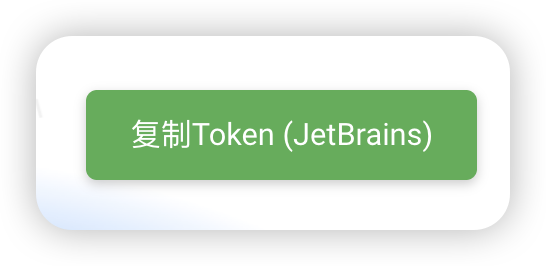
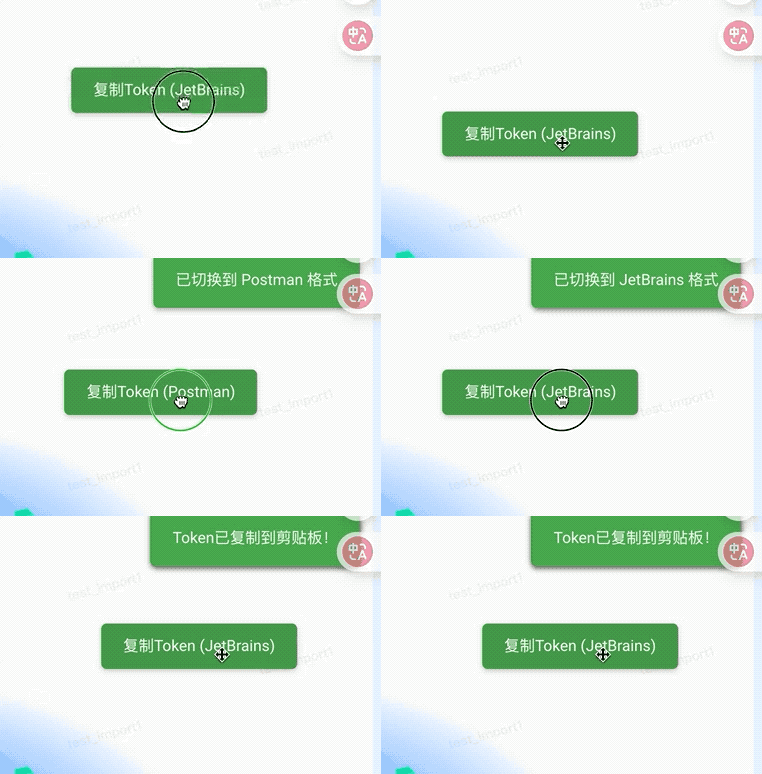
你可以在你配置的网站上看到这样的一个按钮
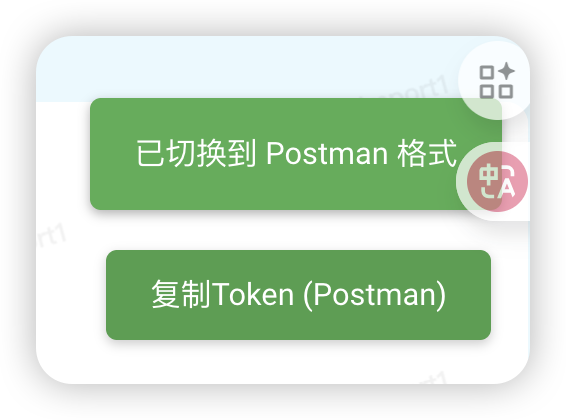
点按右键还可以切换要复制的模式
PostMan的样式是这样的
[{"key":"Authorization","value":"Bearer token","enabled":true}]
|
直接在postman的Header里面按下ctrl+v就可以
Jetbrain的是这样的
Authorization: Bearer token
|
放在你的请求下方就可以
并且我们的按钮支持拖动
原理解析
其实我们的最关键代码就是从cookie中获取到我们需要的Token
function getCookie(name) {
const value = `; ${document.cookie}`;
const parts = value.split(`; ${name}=`);
if (parts.length === 2) {
return parts.pop().split(';').shift();
}
return null;
}
|
如果你们公司或者网站的token不是这样的,你可以自己修改